Audio Compressor1.0.3
Publisher Description
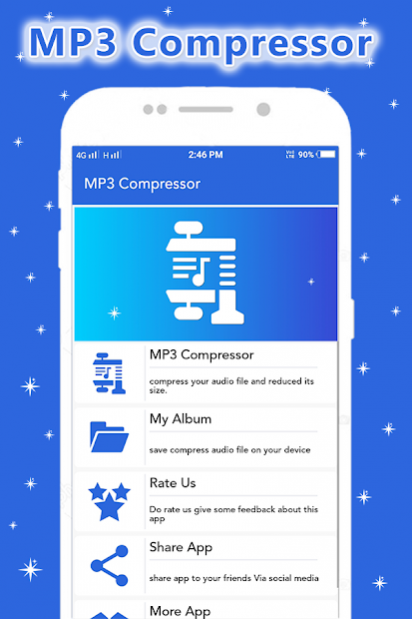
You can compress your audio file and reduced its Size..
The Main Use of this app you can store many MP3 Song in your Phone because of this app is reduces Song Size.
Audio : MP3 Compressor use Compress any audio song in a 3 Different K/Bit Such as 64 K/bit,128 K/bit,256 K/bit
You can share compress MP3 song in social media or Your Family Member.
You can Compress Audio Song Save in a SD Card.
Audio : MP3 Re-sizer app is free and light weight app.
Features of This App is.....
1) Select MP3 Song from Custom Gallery.
2) Select Bit-rate Such as 64 K/Bit,128 K/Bit And 256 K/Bit.
3) Its Easy to change rate in MP3 Song.
4) It Support All Types of Format Such As - AC3, FLAC, AMR, M4a, AAC, WMA, WAV, MP2 MP3 .
5) Audio: MP3 Compressor app create Compress Audio from original Audio and get reduced Size.
6) Compress MP3 Song Save in a Audio Compress Folder In SD Card..
7) Share your Minimized Size MP3 Song with your Friends Or family Member.
About Audio Compressor
The company that develops Audio Compressor is SunStar Photo Video Apps Studio. The latest version released by its developer is 1.0.3. This app was rated by 1 users of our site and has an average rating of 3.5.
To install Audio Compressor on your Android device, just click the green Continue To App button above to start the installation process. The app is listed on our website since 2019-10-24 and was downloaded 249 times. We have already checked if the download link is safe, however for your own protection we recommend that you scan the downloaded app with your antivirus. Your antivirus may detect the Audio Compressor as malware as malware if the download link to sunstarphotomedia.audiocompressorandresizer is broken.
How to install Audio Compressor on your Android device:
- Click on the Continue To App button on our website. This will redirect you to Google Play.
- Once the Audio Compressor is shown in the Google Play listing of your Android device, you can start its download and installation. Tap on the Install button located below the search bar and to the right of the app icon.
- A pop-up window with the permissions required by Audio Compressor will be shown. Click on Accept to continue the process.
- Audio Compressor will be downloaded onto your device, displaying a progress. Once the download completes, the installation will start and you'll get a notification after the installation is finished.
Program Details
System requirements
Download information
Pricing
Version History
version 1.0.3
posted on 2019-10-24
change graphics.
fix some issue.
